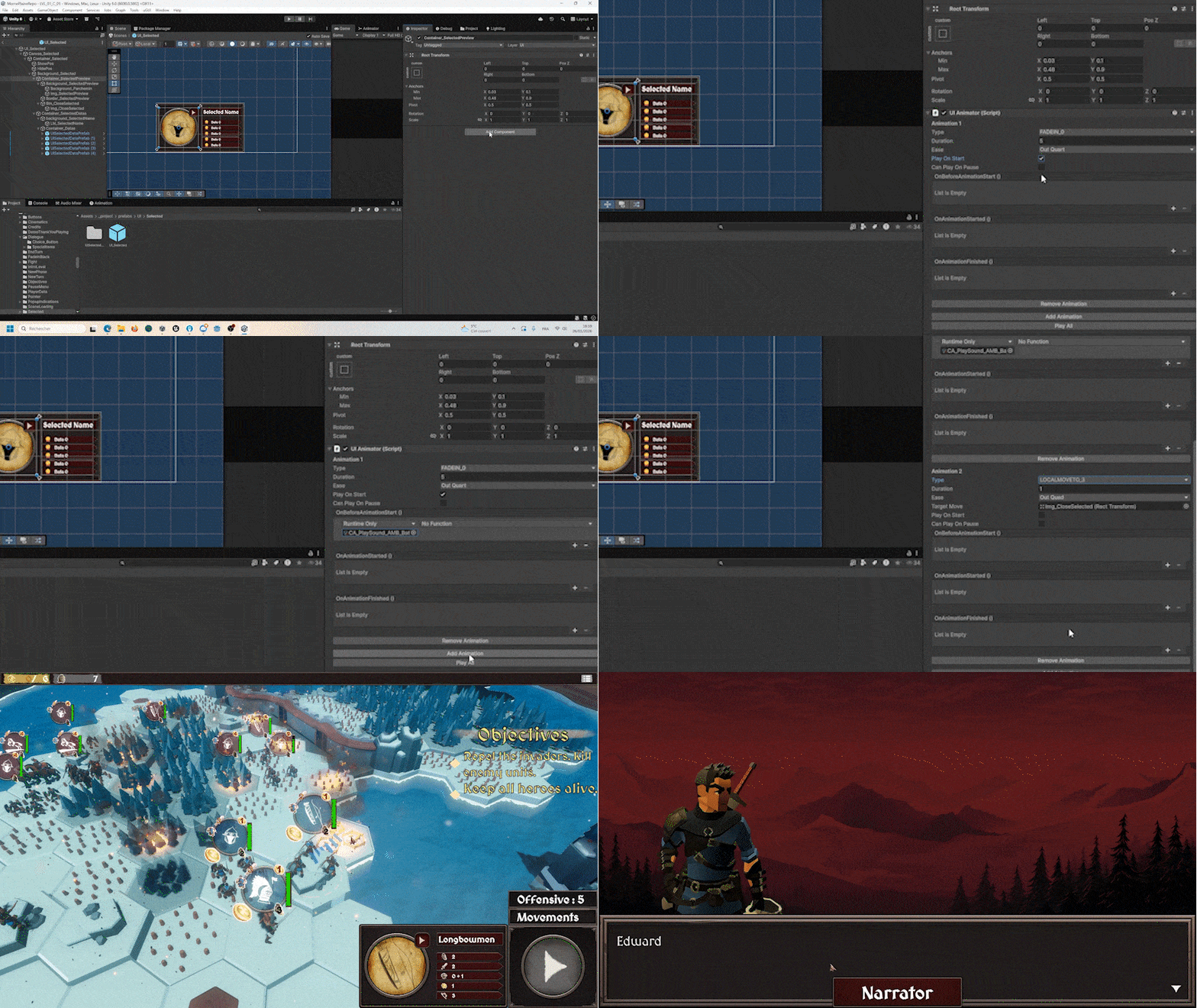
SongVoid is a narrative-driven single-player strategy and skirmish game. It takes place in a medieval fantasy universe.
Players follow the adventures of a troop of soldiers through intense tactical battles !
I developed this game entirely on my own over the course of about five months, while also completing an internship at Magic Design Studios and pursuing my Master's degree.
Although I mainly did the programming for this project, I was also able to experiment with many other areas of development.
You want to try SongVoid ?

My Contribution
The main objective behind the development of this project was to show what I am capable, on my own, of in terms of game programming.
I therefore placed particular emphasis on the quality and polish of the game mechanics, as well as on creating a clean architecture and comprehensive systems, allowing for rapid and smooth future development and maintenance of the game.
As a result, on the programming side, I was able to implement all of the gameplay mechanics, and also continue to refine my skills in other areas of programming such as graphics integration tools, level creation, dialogue graph, and much more...
I was also able to experiment with new and very useful design patterns and develop numerous packages that can be reused in other games to improve my productivity.
The mechanics I will present below do not represent everything I developed for the project, but they are the ones I find most interesting to detail.
I really encourage you to try out the game if you want to see the details of my work on the project.
I really encourage you to try out the game if you want to see the details of my work on the project.
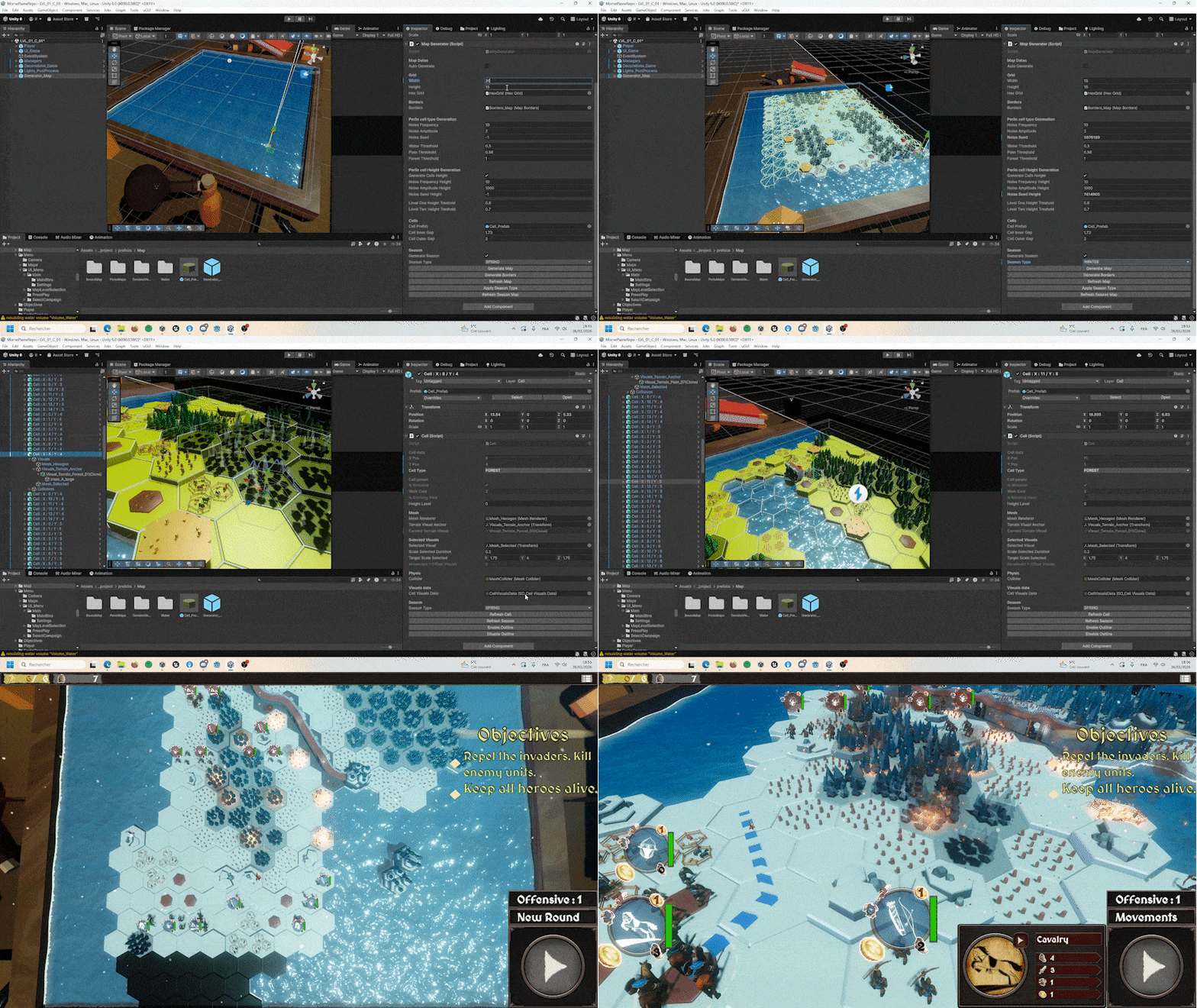
Hexagonal Map System & Procedural Generation
I developed a hexagonal grid map system with all that this implies (pathfinding, path cost, specific effects of certain tiles, lines of sight, etc.).
I then combined this system with a procedural generation tool that I created. Using Perlin's Noise, I can generate consistent maps very quickly, and then go back over them to refine the level design.
It also takes care of generating the scenery for each biome through easily modifiable asset lists.
This saves a considerable amount of time.
This saves a considerable amount of time.
Finally, I added a quick and easy-to-use weather change system so that textures, lighting, post-processing, and other map assets can be easily changed with just a few clicks.
I really enjoyed creating the systems related to the map, and I think this is reflected in the details I put in place so that it can be generated and customised in a consistent and functional way very quickly.
All the tweaking data for the generation can be modified through ScriptableObjects to avoid having to go into the code when making changes.
Units Behaviour
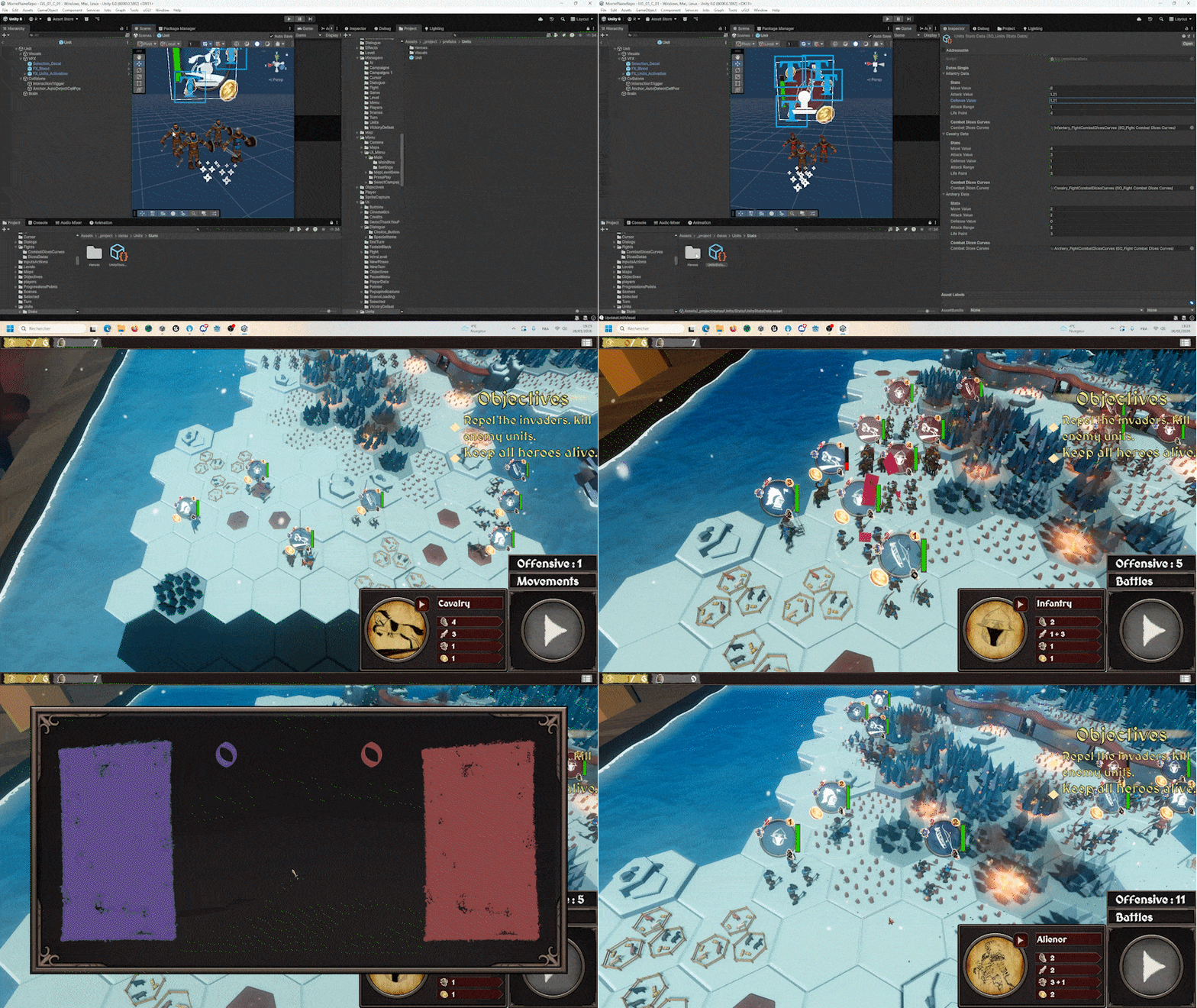
Medieval strategy games often involve unit management. So I created an entire unit behaviour system.
Units can have specific classes (cavalry, infantry, archers, heroes, etc.), which then define their statistics, which are recorded in ScriptableObjects. Units can attack, be damaged, die, move (in relation to the map), and give bonuses to other adjacent units.
In order to have a clean architecture and facilitate future development, a "Unit Manager" handles their initialisations, access, actions, and reactions, allowing for better management of player teams, as well as the behaviour of "AI Controllers" (see below).
As with the map, I also had fun creating facilities for managing the units' graphic assets.
This is independent of the main behaviour of the units and saves a considerable amount of time. So, if you want to change the type of a unit or its team for testing purposes, the entire visual aspect is updated at the same time.
In addition, the visuals react to the status of the unit, such as the number of troops still alive, for example.
Fight System
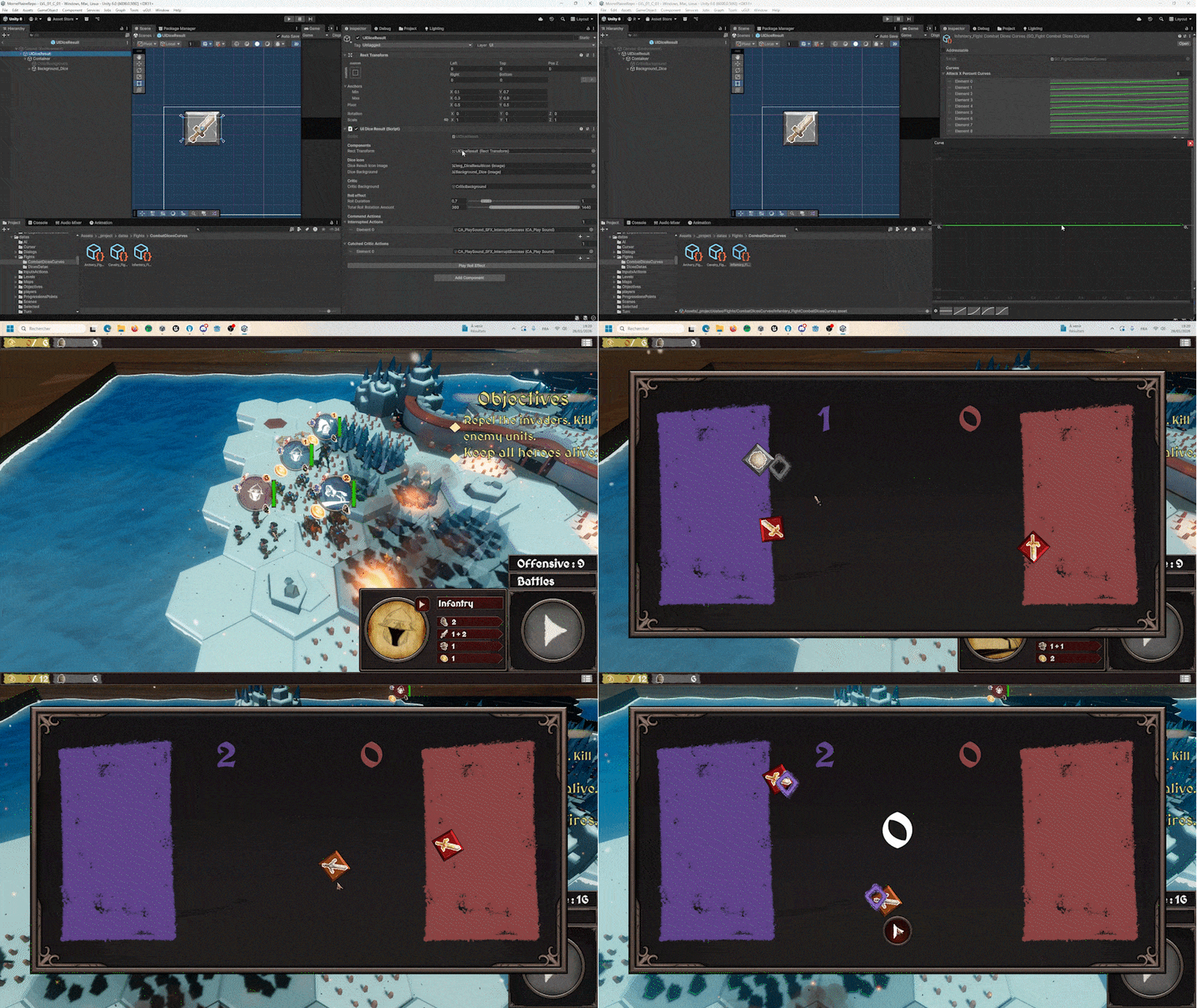
In order to make the battles more dynamic, I developed a real-time dice-rolling fight mechanic.
This involves "Dice Data", which defines the statistics of the dice rolled, "Tweens" and curves that allow you to draw the path taken by the dice in editor. This information can be modified in data (ScriptableObjects).
The biggest challenge here was to make the real time dice interception mechanics as satisfying as possible for the player.
I therefore paid particular attention to this aspect in order to add clear feedbacks and a pleasant game feel, notably by adding sounds and visual effects, which were made easier to implement thanks to "Command Actions" (see above).
Level Controller
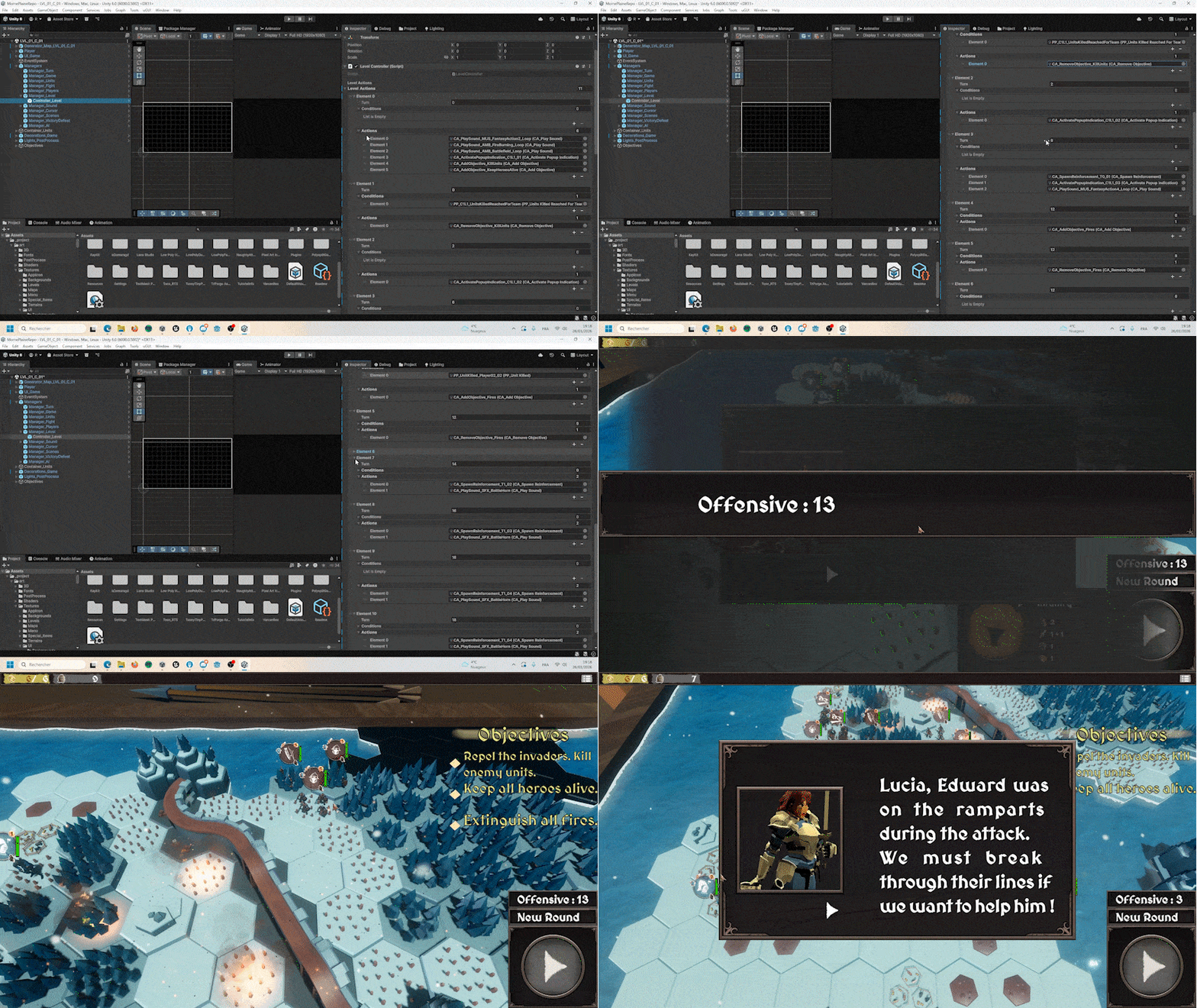
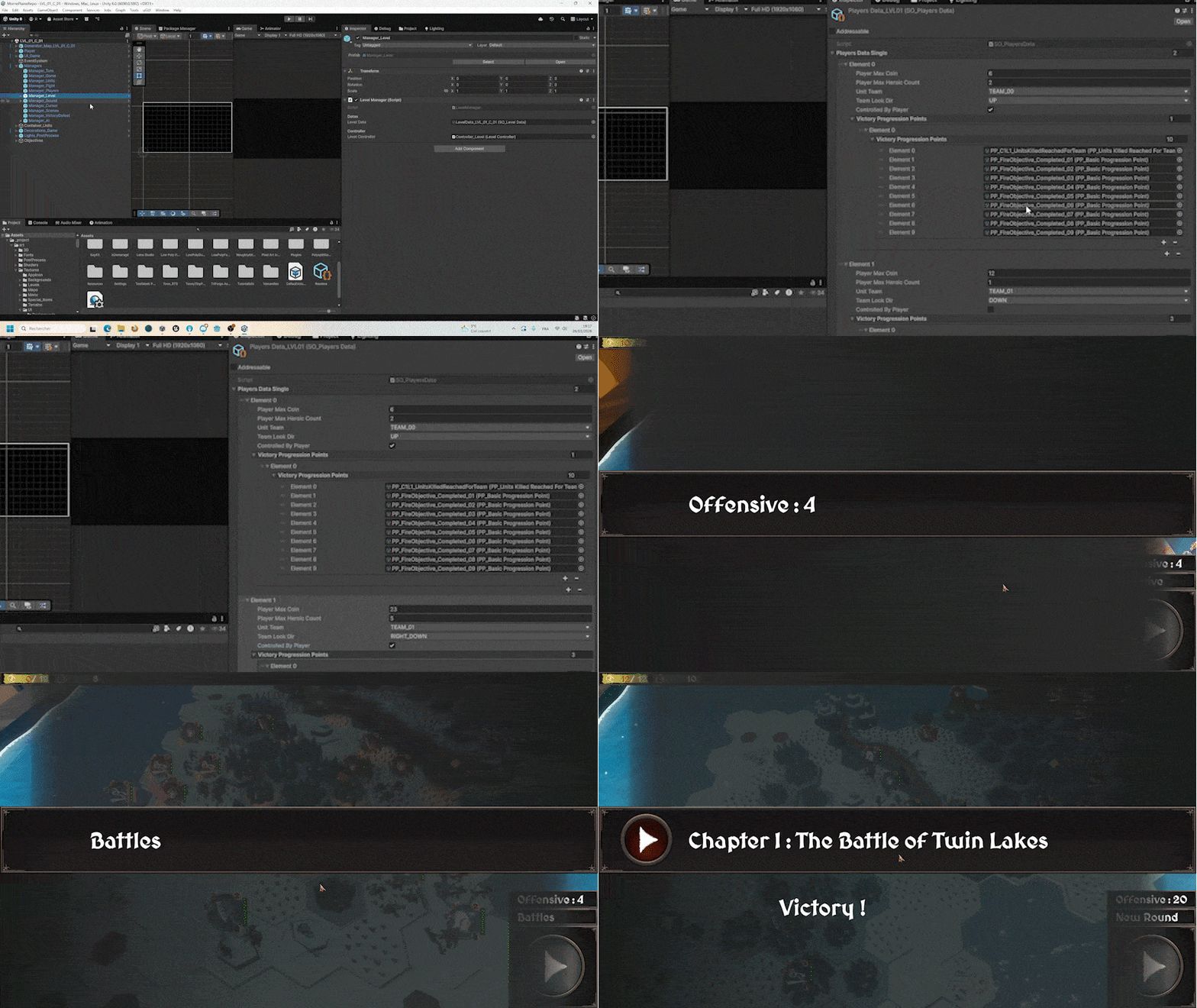
In order to control the flow of the level, as well as the various events that occur during it, I set up a "Level Controller" system.
This system works using two "Design Patterns" that I implemented in the project, "Command Actions" and "Progression Tracking" (see below).
Using a list of actions and conditions, which can be customised in ScriptableObjects from the editor, I can set up a timeline of upcoming events and how they should be triggered.
This includes playing sounds, displaying a tutorial window, bringing in reinforcements for a team, and even adding objectives and victory conditions (and more...).
I really enjoyed setting up this structure, and it allowed me to perfectly manage the entire level flow from the editor, which is one of my goals : to have maximum control over the game without having to go through the code once the system has been developed.
Game Loop
In order to create the Game Loop in the cleanest way possible, I had to set up a solid architecture.
This means that all my Managers are initialised in an order defined by a grand conductor (the "Game Manager").
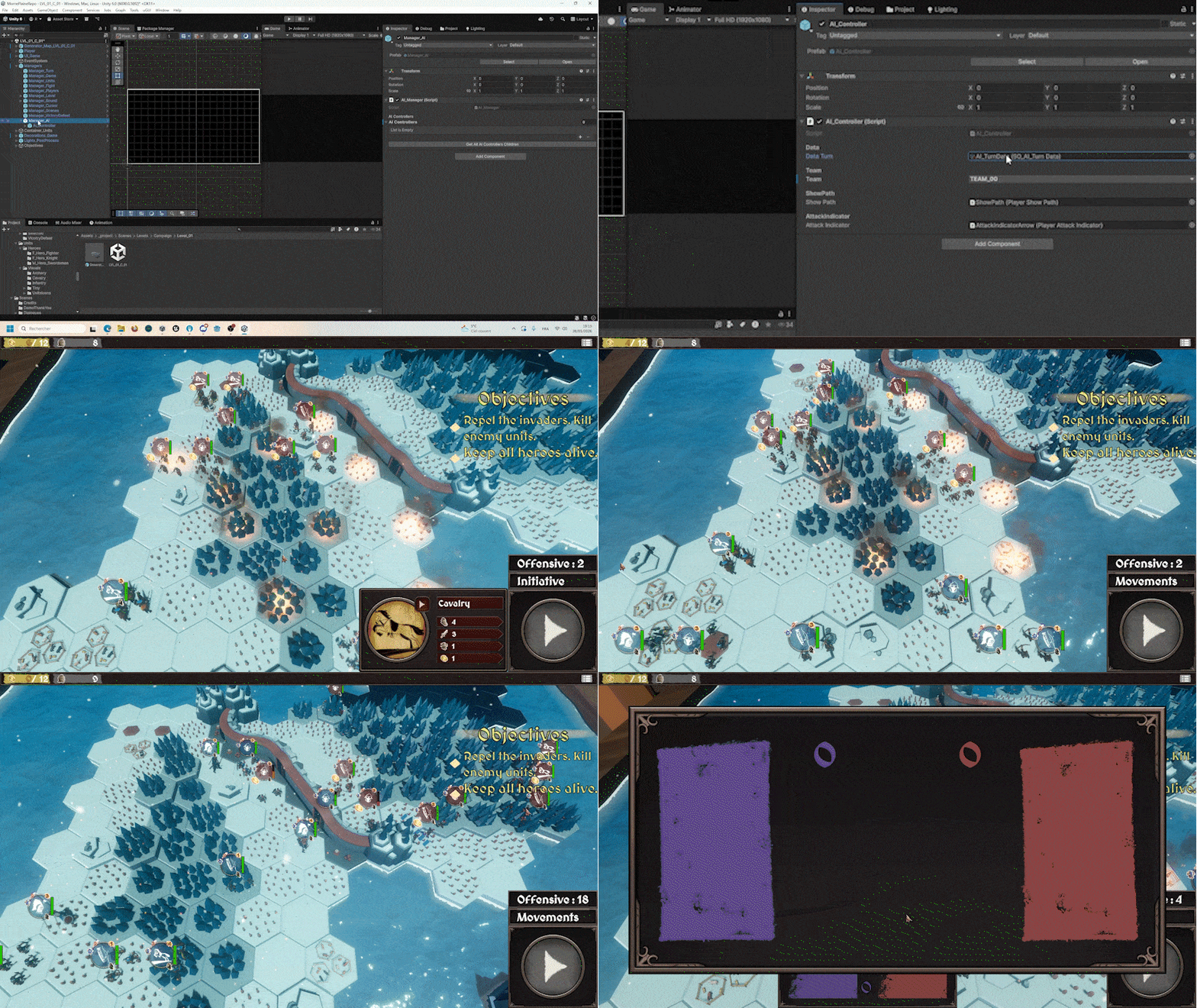
Level initialisation is done using data passed to ScriptableObjects, and is well organised to allow total control over game and players options.
This includes "Campaign Data" and "Level Data" which indicate, the name of the level, the conditions for victory, ...
There is also "Players Data" which defines player statistics such as their total activation points, their associated unit team, whether they are the first player, but also whether the associated player is controlled by an AI or not (and yes, although not present in the game demo, the system can easily make two AIs or even two players compete against each other in local multiplayer !
Everything is perfectly supported, and the game was even designed for this purpose before the integration of an "AI Controller" and a solo experience).
Using this data, the level is then set up, and all the systems perform their tasks according to it.
AI Controller (Utility AI)
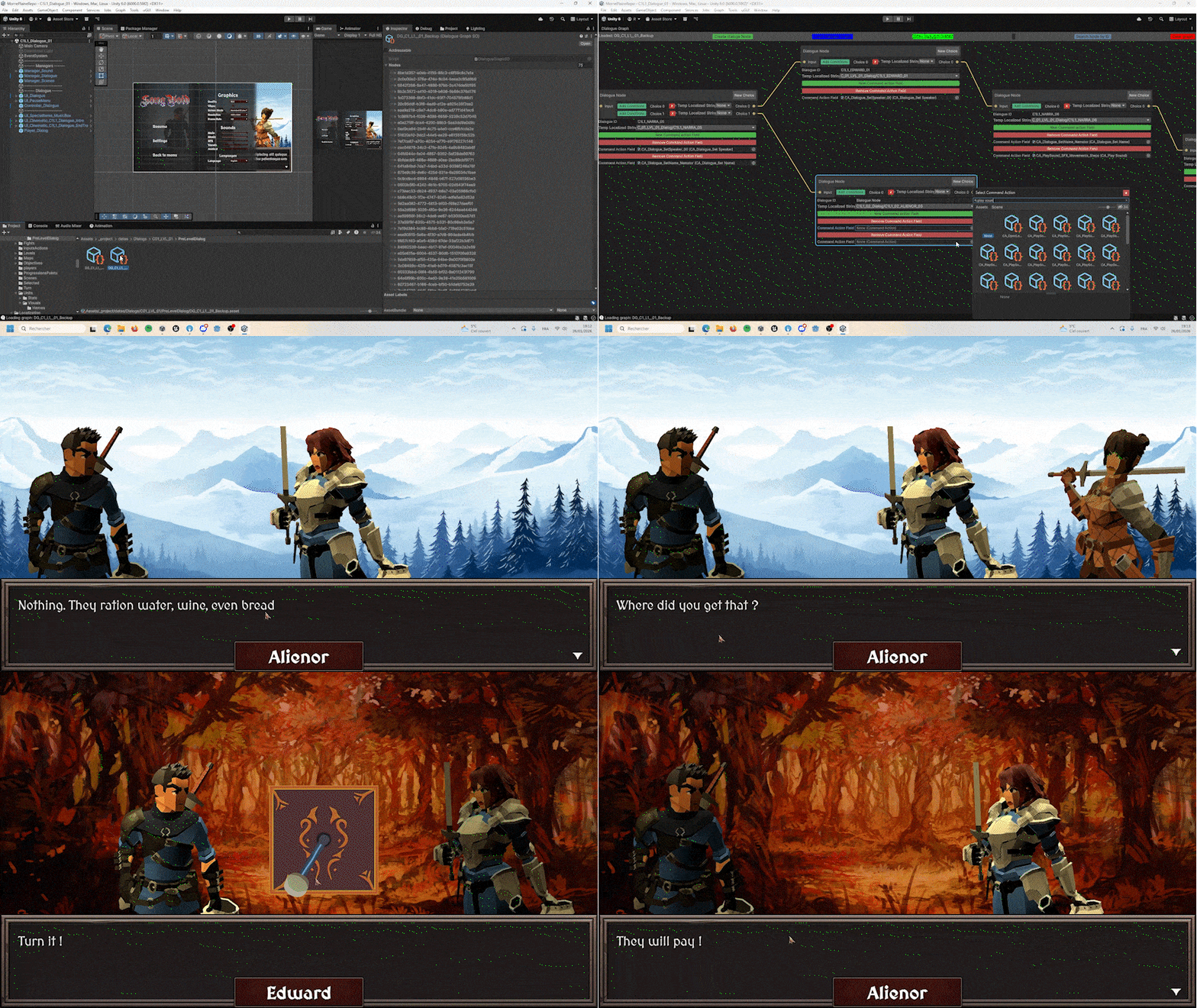
Following my desire to offer a more solo experience so that anyone could enjoy the game without having to play as the second player, I had to create an AI system.
This is the first time I have created an AI designed to replace a player in a game. Usually, it is enemies that the player must face, but in this case, it is a matter of imitating the decisions of a player with the same resources as the human player.
To do this, and after studying many different systems, I decided to turn to the "Utility AI" system. This system evaluates the best actions to take for each phase of the game based on a weighting system defined in ScriptableObject.
It is then possible to manage the time it takes to make decisions (to simulate thinking time), as well as its "personality" (aggressive, defensive, balanced).
Finally, the implementation of a polished architecture throughout the project helped me a lot here, as it was then very easy for me to inform the AI of the state of the game and give it access to the various game resources in order to evaluate and carry out its actions.
Personal Package
Dialogue Graph
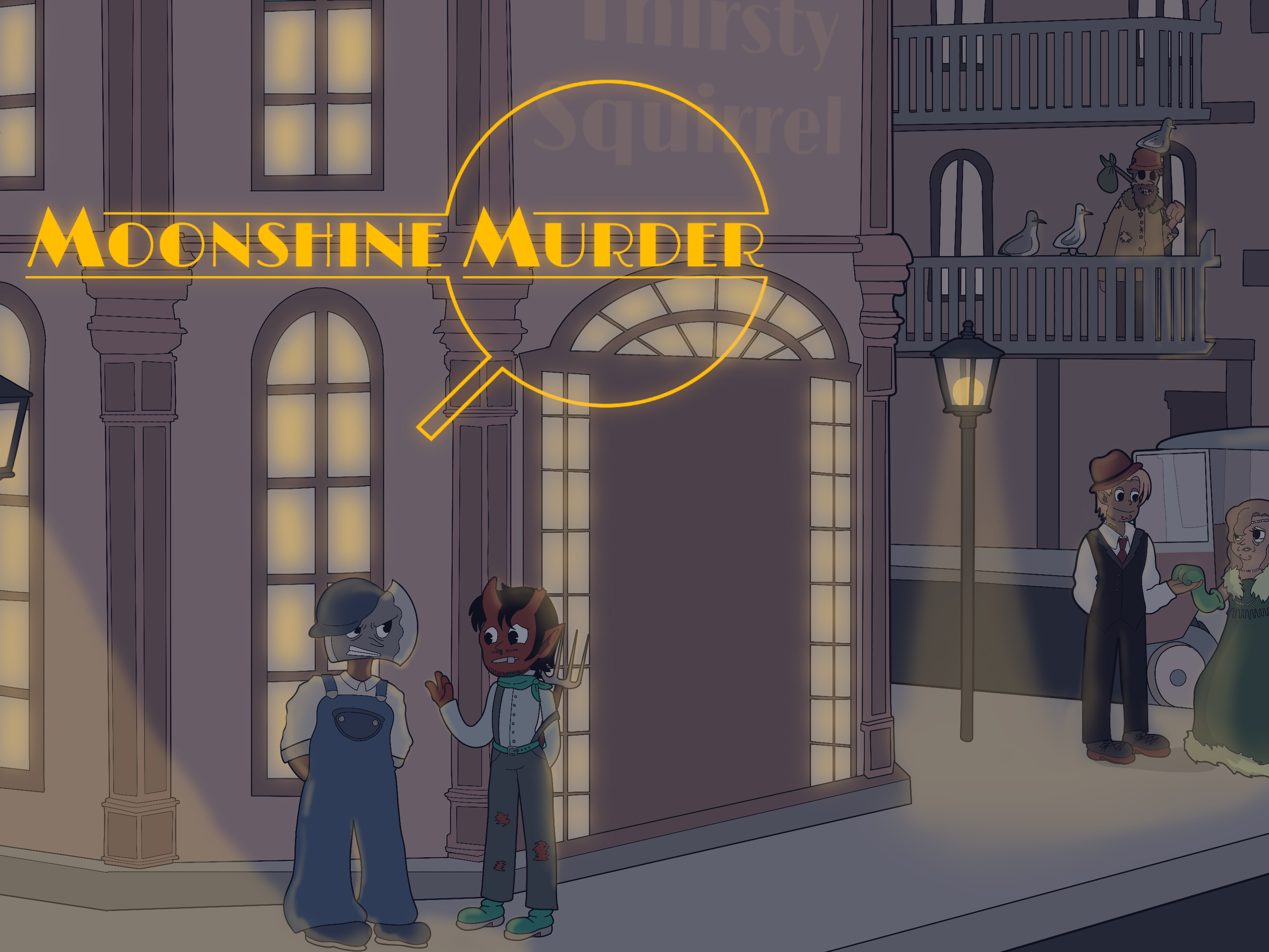
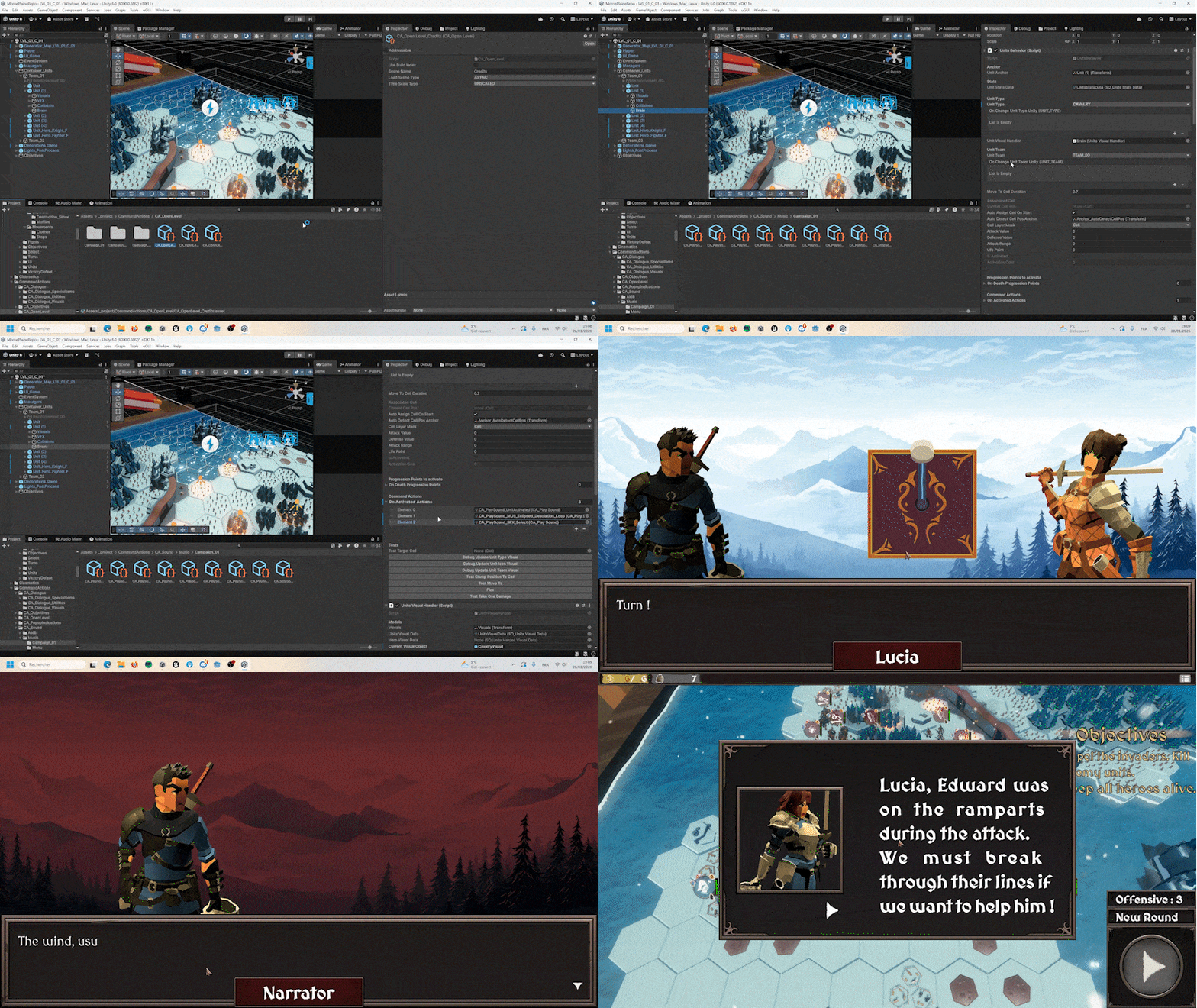
I improved my personal "Dialogue Graph" tool package, which I had already used on the game "Moonshine Murder".
It now supports Unity's localisation system and allows you to assign "Command Actions" to each node to trigger.
Therefore, all of the game's dialogues (and texts) are localised into three languages (French, English, Spanish).
This tool has been a great help in creating the game's dialogue scenes, and supports a multiple-choice system visible in the graph.
The graph thus created is then converted into a ScriptableObject and processed by a "Dialogue Controller" and a "Dialogue Displayer", both of which are highly customisable.
Personal Package
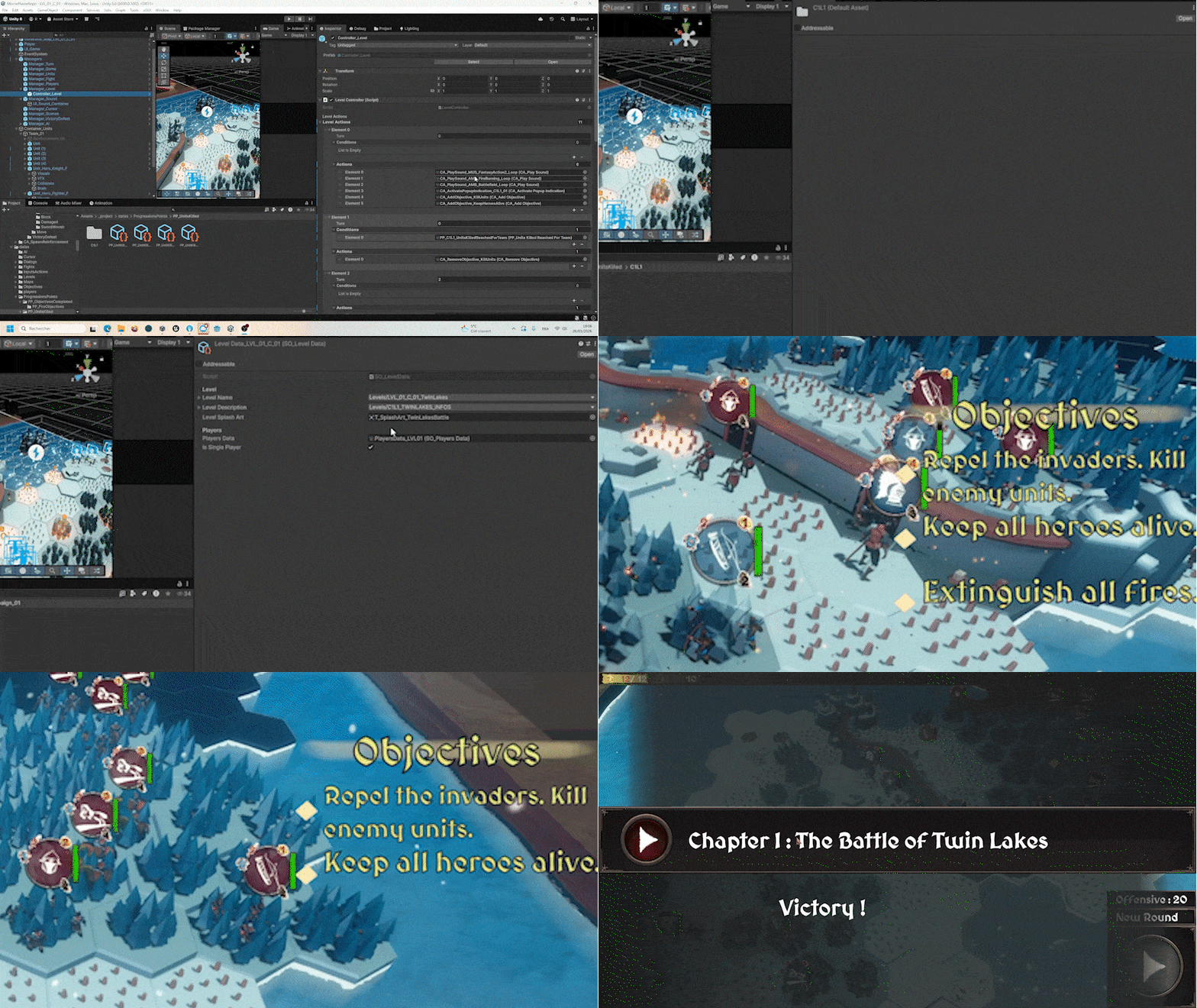
Design Pattern : Command Actions
This is surely the most important design pattern I developed for this project (apart from Singleton), Command Actions, and it's the first time I've used it.
It's everywhere in every element of the game and works in tandem with Singleton.
It allows me to play sounds, activate tutorial windows, change scenes, add objectives, bring in reinforcements, trigger special events, influence dialogues, and much more, without having to go through the code, all can be done in the editor.
This is the design pattern that has helped me the most in adding feedback, polishing certain aspects of the game, adding game feel, and quickly managing the flow of the game.
It consists of something very simple : encapsulating actions in data (ScriptableObjects).
This way, I just have to add lists of "CommandActions" to certain places in my code, and those recorded in them will be executed directly.
It is completely independent of the project, which is why I made it into a personal package so that I can reuse it in future projects.
Personal Package
Progression Tracking
I also developed another personal package for this project : "Progression Tracking".
This consists of encapsulating in data (ScriptableObjects) game states to be checked, which are then handled by a "Progression Manager" that checks whether a "ProgressionTracking" is considered complete or not.
I use this design pattern in particular to check players' victory conditions (and the status of level objectives), but also to trigger "Command Actions" only under certain conditions in the "Level Controller" (see above).
The biggest challenge here was to make it accessible in the editor and easy to implement.
Personal Package
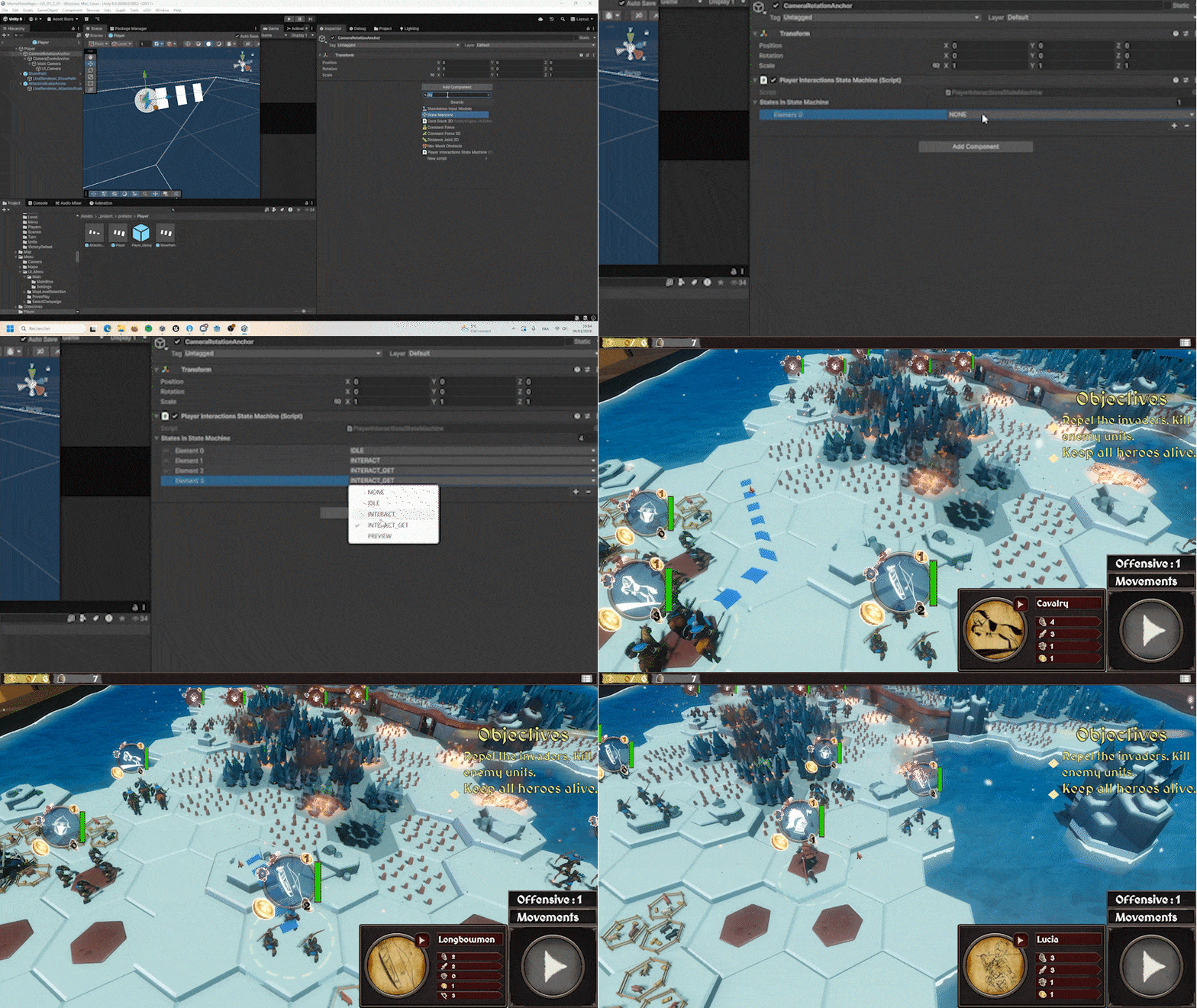
Universal State Machine
I also created a generalised State Machine personal package.
I use it in the game for the player controller states (select, order, preview).
The only elements that need to be recreated for each project are the states themselves. As for initialising the state machine, states, and transition management, everything is already taken care of.
Personal Package
Full Audio System
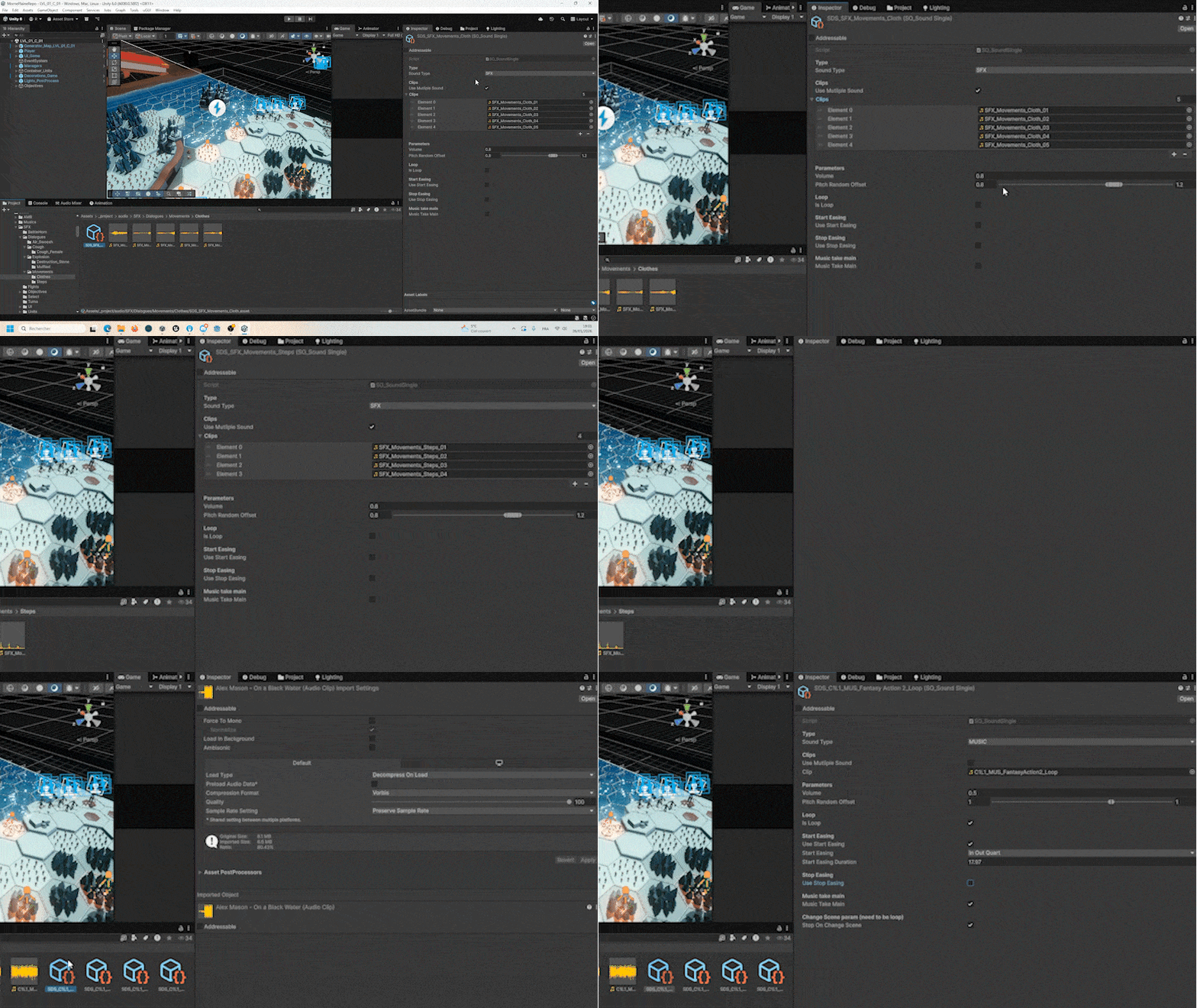
I developed a full and customisable audio system that is independent of the project, so that it can be reused in other games in the future.
It works in combination with Sound Data, which are ScriptableObjects set up for each sound, allowing you to customise the type of sound, its volume, whether it loops, whether it fades in/out, and if so, for how long, if it stops on changing scene, and much more.
This allows very simple control over the game's entire sound design.
Combined with the "Command Actions" design pattern, it becomes extremely quick to influence sounds just in the editor.
Personal Package
UI Animator
I have improved my personal "Dev Animation" package that I developed for the game "Moonshine Murder" (see the corresponding page).
This personal package makes it very easy to create animations for the UI or other game elements without having to write code.
All of the UI animations you see in the game (excluding cutscenes) were created using this personal package.
I have improved its ease of use and capabilities.